What Is an AI Workflow? Process, Benefits, and Steps
Learn what an AI workflow is, how it works, its core parts, key stages, benefits, and practical steps for building one at work.

Understanding AI Workflows
What is an AI workflow? It is a linked set of tasks that uses artificial intelligence to reach a business goal. The workflow can read data, choose an action, and pass work to the next step. It can also ask for human help when a case needs judgment.
A basic workflow might collect a support email, find its topic, and draft a reply. It can then check the customer record before sending that reply. Each step follows a clear rule or model. The system records the result for later review.
Traditional automation follows fixed paths. AI workflows can change paths when data changes. This makes them adaptive rather than purely rule-based. A workflow may route urgent cases to a senior agent while handling simple cases on its own.
AI workflow automation does not mean removing every human task. It means giving people better tools for repeat work. Strong designs keep human checks around costly, sensitive, or unclear decisions.
Why AI Workflow Automation Matters
AI workflows help teams finish routine work with fewer handoffs. They can sort requests, fill fields, and spot missing data. Staff then spend more time on work that needs context and care. Cycle times often fall as a result.
Lower cost is one clear benefit. A team can process more cases without adding the same amount of labor. The gain depends on task volume, model quality, and review needs. Measure the full cost before making a large rollout.
Customer experience can improve too. An AI workflow can answer simple questions at any hour. It can also give staff a full case summary before a live reply. Faster service feels better when the answer remains accurate.
High-performing organizations treat this work as part of digital change. They choose processes with clear goals and useful data. They also track quality, risk, and cost after launch. Speed alone does not prove success.
- Less manual data entry and fewer handoff delays
- Faster replies and more consistent service
- Better use of staff time and shared data
- Clear records for review, control, and improvement
The Main Parts of an AI Workflow
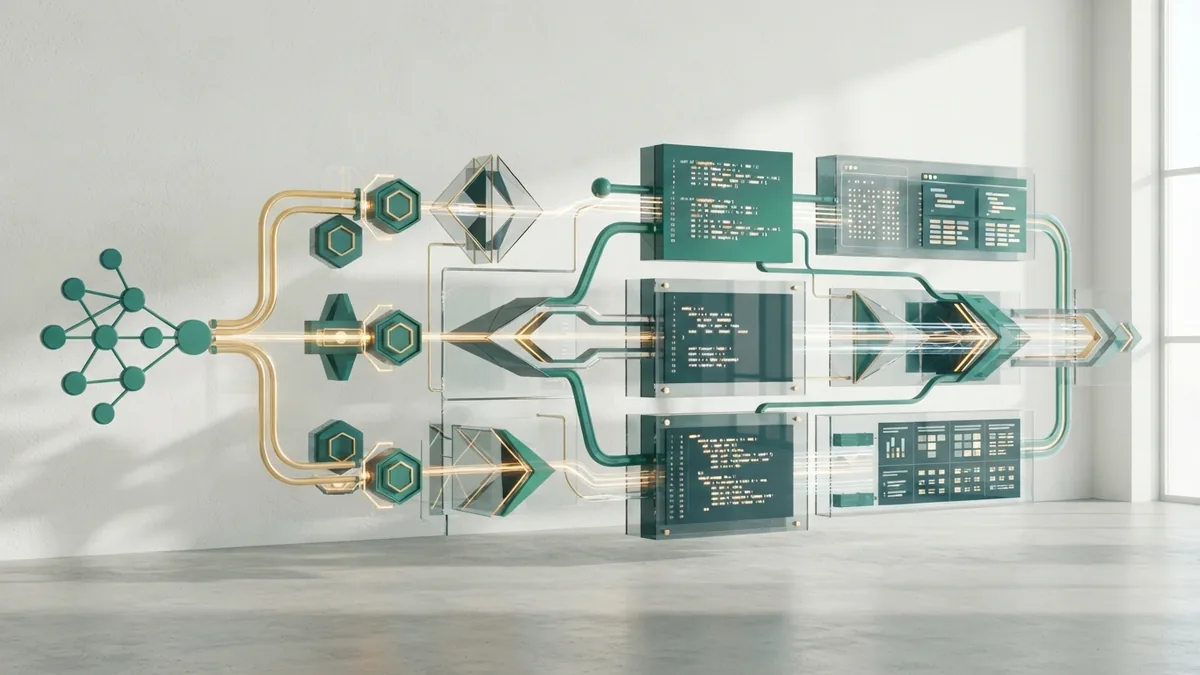
Every AI workflow starts with an input. The input may be a form, email, document, event, or database change. The system then cleans and checks that data. Good input rules prevent many later errors.
An AI agent is a software worker that can plan and take actions. It may call a search tool, update a record, or ask another model for help. Machine learning helps the system find patterns in data. Natural language processing helps it handle text and speech.
A workflow orchestration engine controls the order of tasks. It starts jobs, sends data between tools, and tracks failures. It can also set time limits and send work to a person. This control layer keeps separate tools working as one process.
| Part | Role | Example |
|---|---|---|
| Input | Starts the workflow | New support email |
| AI model | Reads data or predicts an outcome | Topic and mood check |
| Agent | Takes a task or chooses a tool | Finds an order record |
| Orchestrator | Runs steps and handles errors | Routes urgent cases |
| Review point | Lets a person approve a result | Refund approval |
How to Build an AI Workflow
How to build an AI workflow starts with one narrow process. Pick a task with high volume and clear success measures. Map every step from the first input to the final result. Note where staff wait, copy data, or make repeated choices.
Next, set a baseline. Record the current time, cost, error rate, and service level. These numbers show whether the new process creates real value. They also reveal when a faster workflow gives worse answers.
- Choose the process. Select a repeat task with stable data and a clear owner.
- Map the decisions. Mark fixed rules, model tasks, human checks, and failure paths.
- Prepare the data. Remove duplicates, limit access, and define safe data use.
- Build a small test. Connect one model, one data source, and one output.
- Test real cases. Include common, rare, unclear, and harmful inputs.
- Launch in stages. Start with suggestions before allowing automatic actions.
- Track and tune. Review quality, speed, cost, and user feedback each week.
Choose tools by fit, not by a short list of popular brands. The best AI workflow automation tool depends on your data, staff, rules, and current systems. Check its access controls, audit logs, model choices, and failure handling. A simple tool may beat a larger one when the process is small.
Keep the first version narrow. For example, classify incoming requests before adding reply writing. This makes errors easier to trace. It also gives the team a safe way to learn.
The Key Stages of AI Workflow Development
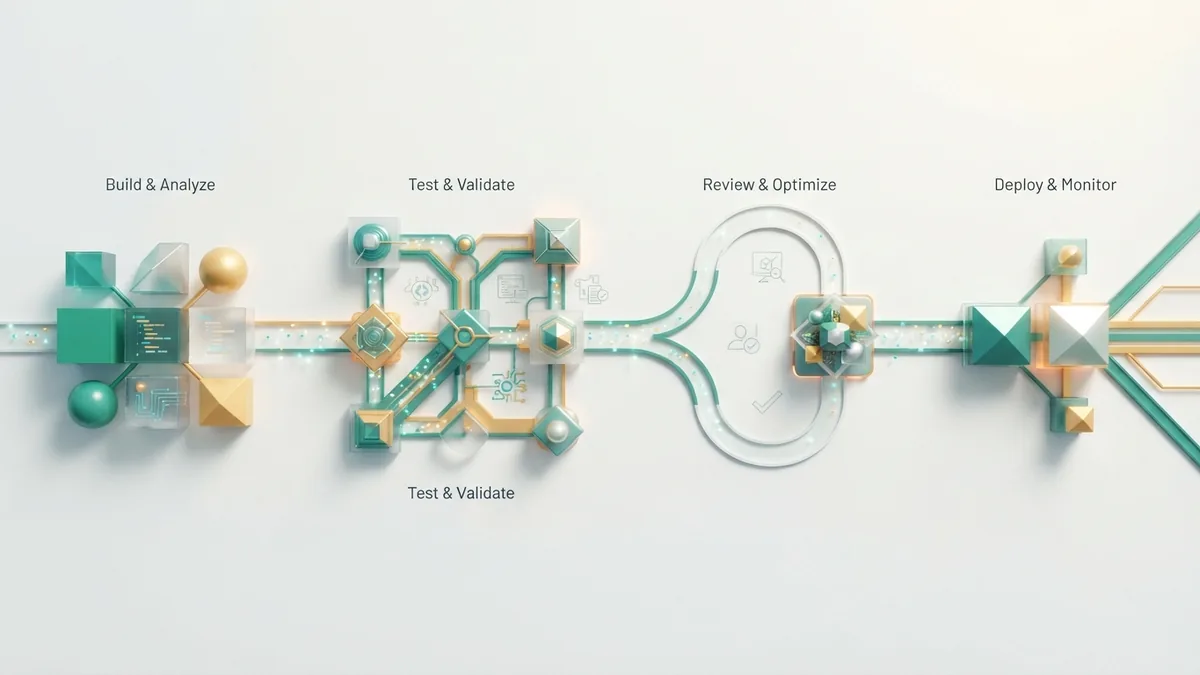
The stages of an AI workflow often follow four broad steps. They are intake, reasoning, action, and review. Some teams split these steps into more detail. The four-part view remains useful for planning and testing.
The first step in the AI workflow process is intake. The system receives data and checks its shape, source, and permission. Next comes reasoning, where a model labels, predicts, summarizes, or plans. The action stage then updates a system or sends a result.
Review closes the loop. A person or rule checks the outcome when risk is high. The system stores feedback and failure data for later tuning. Use the NIST AI Risk Management Framework to guide risk checks across the workflow.
| Stage | Key question | Useful measure |
|---|---|---|
| Intake | Did the system receive safe, valid data? | Input error rate |
| Reasoning | Did the model reach a sound result? | Accuracy or review score |
| Action | Did the right tool take the right step? | Task success rate |
| Review | Did people catch and fix bad results? | Escalation and rework rate |
Real-World Uses for AI Workflows
Customer support is a common starting point. A workflow can sort new cases, find account details, and suggest a reply. It can spot billing risk and send those cases to a trained specialist. A final review can protect tone and accuracy.
HR teams can use workflows for job intake, interview scheduling, and policy questions. The system can pull key details from applications and flag missing fields. Human review remains vital for hiring, pay, and other sensitive choices.
Marketing teams can link research, content checks, and campaign reports. A workflow might group customer feedback, draft test ideas, and watch results. Marketers should check claims, brand fit, and consent before publishing.
IT operations can use AI to sort alerts and rank likely causes. The workflow can gather logs, suggest a fix, and open a ticket. Automatic changes should need strict limits during outages or security events.
- Support: triage, summaries, reply drafts, and case routing
- HR: form checks, scheduling, and staff question routing
- Marketing: feedback grouping, campaign checks, and report drafts
- IT: alert triage, log review, ticket creation, and runbook help
How to Keep an AI Workflow Reliable
Give each workflow a clear owner. That person should review results and approve major changes. Keep prompts, rules, and model settings under version control. This makes changes easier to trace.
Set a human review rule before launch. The rule might cover low confidence, high cost, private data, or unusual requests. Add a safe stop when a tool fails. Small guardrails can prevent large mistakes.
Review the workflow with real cases every month. Check for drift, new data gaps, and rising costs. Compare its results with the baseline. Remove steps that add delay without improving the outcome.
The strongest AI workflows balance speed with control. Start small, measure well, and expand only after results hold steady. That approach turns automation into a useful business system.
Frequently asked questions
- What is an AI workflow?
- An AI workflow links tasks that use artificial intelligence to reach a business goal. It can read data, make choices, use tools, and send work onward.
- What is AI workflow automation?
- AI workflow automation uses AI inside a task flow. Unlike fixed automation, it can adapt its path when data or context changes.
- How do you build an AI workflow?
- Start with a narrow, high-volume task and map its inputs, decisions, actions, and review points. Then build a small test with clear success measures.
- What are the four stages of an AI workflow?
- Many teams use four stages: intake, reasoning, action, and review. Some projects split these stages into smaller steps.
- What is the best AI workflow automation tool?
- The best tool depends on your systems, data, access rules, model needs, and budget. Look for strong logs, controls, error handling, and easy testing.
Related reading

What Is Qwen AI? Models, Uses, and Its Creator
Learn what Qwen AI is, who makes it, how its models work, how to use Qwen, and what to know about its features, limits, and pronunciation.

AI Age Verification: Risks and Safe Options
Learn what AI age checks do, why bypass attempts can carry risks, and how to resolve age verification issues safely on AI platforms.

Coursiv AI Course Cost: Plans, Fees, and Value
Find out how Coursiv AI course pricing works, what extra fees to check, whether aid is offered, and how its value compares with other AI courses.