How to Build an AI Clone: Create a Digital Twin Using AI
Learn how to build an AI clone with practical steps, tool options, and real use cases. Cover ethics, consent, and privacy.
Understanding AI cloning (and what it really means)
You can create a digital clone using AI by teaching a model about your voice, appearance, or knowledge patterns. Most “clones” fall into two buckets. One bucket is an AI avatar that mimics your look and delivery style. The other bucket is voice synthesis or voice cloning with AI that recreates your speaking characteristics.
In practice, you build something closer to a digital twin than a fully sentient copy. It can generate new content that resembles you. It does this by learning from training inputs you provide, plus instructions you write.
The key parts of an AI cloning workflow are data, instructions, and generation. Data can be images, video clips, or audio recordings. Instructions can be scripts, style guides, and response rules. Generation produces a new video or an audio track.
- Appearance cloning: images or short video clips to guide an AI avatar.
- Voice cloning: clean recordings that train a voice model.
- Knowledge cloning: scripts and reference materials that shape outputs.
Why build an AI clone? Benefits you can measure
People build clones because it can save time and make output more consistent. Instead of recording yourself from scratch every time, you can generate variations from a prepared script. That matters if you post weekly, run workshops, or answer similar questions daily.
AI cloning can also strengthen personal branding. When your avatar speaks in your tone, viewers remember you. Your style stays stable even when you are busy or traveling.
Finally, cloning can extend mentoring and enable scalable mentoring. A well-made clone can explain concepts in a repeatable way. It can also adapt to different audience levels if you provide clear prompts.
| Goal | What the clone helps with | What to track |
|---|---|---|
| Content creation | More scripts turned into videos faster | Posts per week, publish time |
| Customer engagement | Faster replies with your tone | Response time, satisfaction |
| Mentoring | Consistent explanations across sessions | Completion rate, follow-up questions |
How to build your AI clone (a practical AI clone tutorial)
Here is a practical way to plan your ai clone tutorial without getting stuck. Start by choosing what you want to clone first. Voice cloning with AI is usually the fastest. AI avatar creation takes more media prep.
Then set success criteria. For example, you might want one avatar video per week or a set of voice lines for a training course. Clear goals help you decide how much data to collect and how strict you should be about quality.
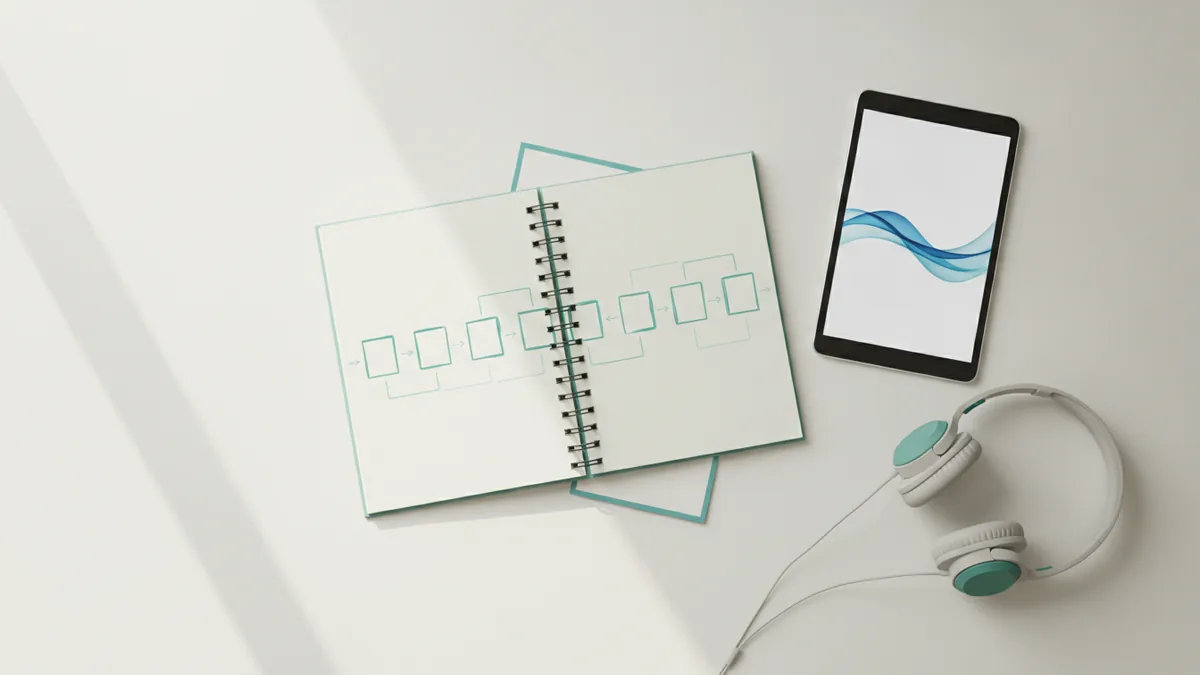
Step-by-step, you will typically do these stages: media prep, script prep, upload, model configuration, and generation. Each stage affects the final fidelity.
- Collect clean source media. Gather images, short videos, and audio that clearly represent you. Aim for multiple angles and steady audio.
- Standardize your input. Use consistent lighting for visuals. Remove background noise and clip long silences in audio.
- Write scripts in your voice. Draft short sections first. Then expand once your outputs sound natural.
- Upload training inputs. Provide the media to the tool you use for avatar or voice cloning.
- Run a test generation. Generate a short clip, then review pronunciation and pacing.
- Iterate with better prompts. Adjust script wording and add style notes. Repeat until it matches your expectations.
- Produce final assets. Create full videos or longer audio tracks. Then edit for flow and timing.
Example workflow for an avatar video: record a 30–60 second reference clip, collect 20–50 still images, write a 200–300 word script, then generate a 30–90 second avatar video. If the mouth movement looks off, shorten phrases and avoid tricky tongue twisters.
Example workflow for voice lines: record 10–30 minutes of speech in a quiet room, normalize volume, and capture both casual and clear readings. Then create a library of sentences for intros, explanations, and sign-offs.
Tools for AI cloning: what to use for avatar and voice
Tool choice depends on whether you want an AI avatar, voice cloning, or both. Some platforms focus on video avatars. Others focus on voice synthesis. Many workflows combine them.
Two popular starting points are HeyGen for video avatars and ElevenLabs for voice synthesis. HeyGen can help you create an avatar presentation from a script. ElevenLabs can help you generate natural-sounding speech using your voice.
When selecting a tool, check three practical things. First, confirm it supports your target format, like MP4 video or WAV audio. Second, check how you can manage your project files and revisions. Third, confirm how you control style, pacing, and pronunciation.
- HeyGen: useful for ai avatar creation and script-to-video workflows.
- ElevenLabs: useful for voice synthesis and voice cloning projects.
- Editor you already use: add cuts, captions, and music so the final output feels polished.
If you plan to create multiple versions, keep your scripts modular. For example, write separate sections for greeting, topic intro, explanation, and closing. That makes it easier to reuse the same voice and avatar setup across many posts.
Use cases for AI clones: where they create real value
AI clones work best when there is a repeatable pattern behind the content. That is why content automation and customer engagement often show fast wins. You can turn a single outline into multiple variants while keeping your tone consistent.
Here are practical use cases that fit an AI clone tutorial mindset. Each one benefits from personalization and speed.
- Content creation: turn blog sections into short avatar videos with consistent delivery.
- Mentoring: produce scalable mentoring answers for common questions and study guides.
- Training: generate onboarding explainers in your voice for teams or communities.
- Customer engagement: draft responses and then generate audio for faster support interactions.
- AI-driven communication: create a “you-like” speaking assistant for announcements and updates.
A strong approach is to start with a small “clone pack.” For example, create one intro video, three voice replies for support, and one mentoring explanation. Use it for two weeks. Then measure which assets audiences respond to best.
Also consider safety and accuracy. If your clone is used for advice, add guardrails in your prompts. Ask for sources, or require that it says “I do not know” when uncertain.
Ethical considerations: consent, privacy, and responsible use
AI cloning raises real ethical issues. If other people appear in your recordings, get their consent. If you are creating a clone for a brand or business, clarify ownership of the voice and likeness.
Privacy matters because voice and appearance data can be sensitive. Store raw recordings securely. Use access controls so only people who need the files can access them.
Also think about misuse. An avatar or voice can be used for impersonation. Avoid publishing clones publicly until you have a clear policy, like watermarking your identity in the project context and keeping an internal audit trail of generated content.
If you cannot explain how you got the training data and how you prevent misuse, pause the project.
- Consent: have clear permission for any voice, image, or video content you use.
- Privacy: protect source media and limit access to trained models.
- Transparency: disclose when people interact with an AI avatar or synthetic voice.
- Safety: add rules for uncertainty and avoid making factual claims.
Frequently asked questions about AI clone creation
Is it legal to create a digital clone using AI?
Legality depends on your location and your use case. In many cases, you can clone content you own or have permission to use. Always get consent and follow platform rules before publishing.
How long does it take to build an AI clone?
Simple voice cloning can take days if you have clean recordings already. An avatar setup can take longer due to media collection and test iterations.
Do I need professional equipment for voice cloning with AI?
You do not need studio gear, but you do need clean audio. Use a quiet room, consistent distance from the mic, and remove distracting noise.
Will my clone sound exactly like me?
It can get very close, but perfect imitation is not always guaranteed. Iteration improves results, especially with better scripts and cleaner reference recordings.
Can I build an AI avatar for multiple languages?
Some tools support multilingual speech, but quality varies by language. If multilingual output is critical, test short clips early and adjust scripts for each language.
How do I prevent my clone from making unsafe claims?
Write prompts that require uncertainty when facts are missing. Also limit the clone’s role to content tasks you can review, especially at first.
Conclusion
Learning how to build an AI clone becomes manageable once you treat it like a production workflow. Pick your cloning target, prep high-quality media, write scripts in your voice, then iterate based on test outputs.
For many people, the fastest path is starting with voice cloning, then adding an AI avatar once the voice sounds right. Use cases like content creation, mentoring, and customer engagement can then move from idea to repeatable assets.
Finally, build responsibly. Get consent, protect your data, and set boundaries for what your clone can and cannot do. That approach keeps your clone useful and trustworthy.
Frequently asked questions
- How do I create a digital clone using AI safely?
- Start with consent for any voice or video you use. Protect source files, and avoid publishing until you set clear safety rules.
- What data do I need for an AI avatar creation project?
- Plan for multiple still images or short reference video. Clean, well-lit media improves results and reduces awkward motion.
- How does voice cloning with AI work in practice?
- You record speech in a quiet room and upload it to a voice tool. Then you generate new speech from scripts and style instructions.
- Can I use an AI clone for scalable mentoring?
- Yes, if you keep the scope narrow and review outputs. Use scripts and guardrails so guidance stays accurate.
- Do AI clones replace human content creators?
- They can automate repetitive drafts and recordings, but human review still matters. Treat the clone as a production assistant you verify.
- What are common reasons an AI clone sounds wrong?
- Most issues come from noisy audio, inconsistent reference media, or scripts that are too long. Shorten lines and test one section at a time.
Related reading
Why People Support AI: Benefits, Concerns and Public Views
Explore why people support AI, how it may improve work and daily life, and why privacy, jobs, and ethical development shape public opinion.
How to Make Good AI Prompts That Get Better Answers
Learn how to make good AI prompts with clear goals, useful context, firm limits, and examples for writing, learning, planning, and coding.
Which AI Tools Are Best for Data, School, and Code?
Compare ChatGPT, Claude, Gemini, and specialist AI tools for data work, teaching, and coding. Learn what is free and how to choose a paid plan.