How to Graphic Design a Logo: Make One for Free
Learn how to graphic design a logo with simple steps, layout tips, and free tools. Get ready to make your own logo that fits.

Start with a clear goal and a logo job to do
A logo is a small mark that helps people recognize your brand. It should work on a website, on packaging, and in small sizes. Before you draw anything, decide what job the logo must do.
Write a one-sentence mission. Then list who you serve and what problem you solve. This turns “be creative” into concrete design choices.
Use this quick checklist to set direction. You can do it in 10 minutes. It also keeps you from redesigning later.
- Brand vibe: friendly, bold, calm, premium, playful
- Main use: social icons, site headers, print, stickers
- Audience: age range and taste level
- Competitors: what you want to avoid
Build a logo concept from type, shape, and meaning
Most logos fall into a few styles. They use a wordmark, a symbol, or a mix of both. If you’re learning how to graphic design a logo, start with one style so the process stays simple.
Pick a symbol idea that matches your brand story. For example, a fitness brand may use movement curves. A coffee shop might use a cup shape. Keep the shapes basic so they still look good when shrunk.
Choose one design direction per round. Then do small tests. This is faster than making one “perfect” design from scratch.
- Write 3 brand words that describe you.
- Turn each word into a simple shape idea.
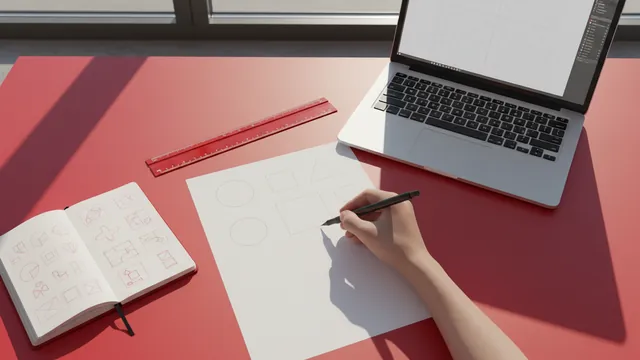
- Sketch 10 rough thumbnails in 15 minutes.
- Pick 2 sketches that feel most “you.”
Design your logo layout: balance, spacing, and legibility
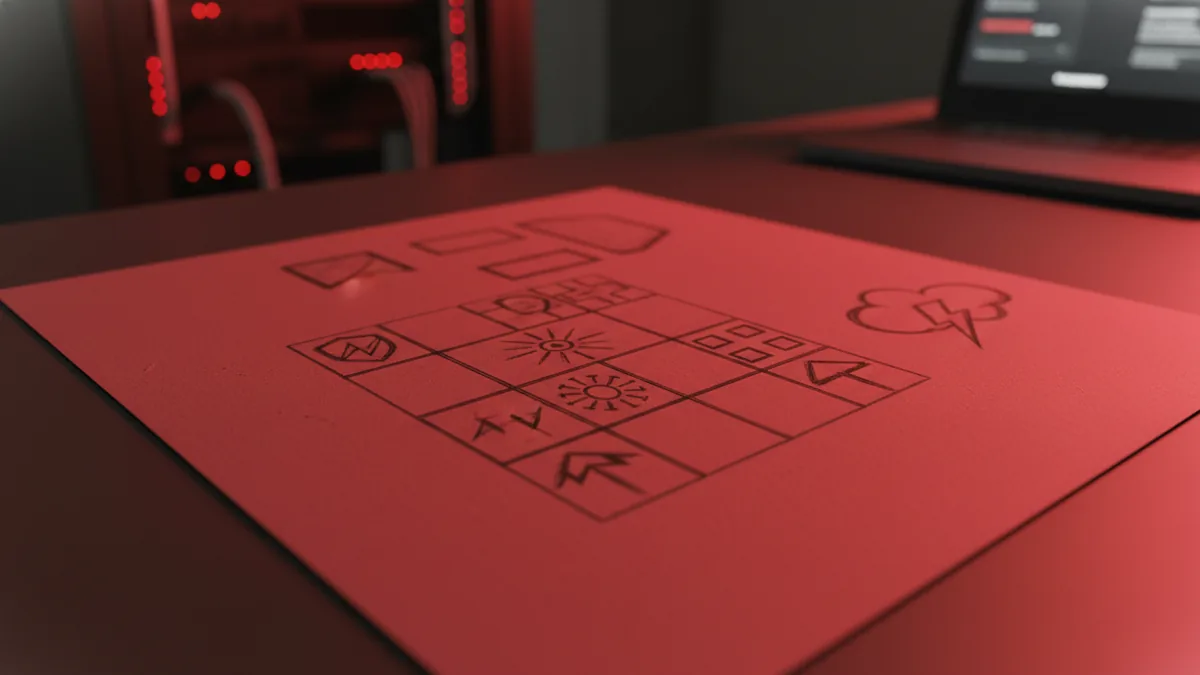
A strong logo layout is built from a grid. It controls how the symbol and text relate. Even a simple mark looks pro when alignment is consistent.
Start with spacing rules. Leave room around the main icon so it stays readable. If the design touches its edges, it will feel cramped in real use.
Also check legibility at small sizes. Many people design too early without shrinking the result. Do a quick test before you polish colors.
| Logo element | What to decide | Quick test |
|---|---|---|
| Icon | Simple shapes and clear silhouette | View at 24px wide |
| Type | Readable letterforms and good weight | Check at thumbnail size |
| Spacing | Consistent padding and alignment | Print mentally on small labels |
If you’re unsure how to make your own graphic design logo, focus on one layout first. Then add refinements after it works. This method helps you avoid messy compositions.
Pick colors and fonts that match your brand
Color sets the mood in seconds. But too many colors make a logo feel unstable. Choose one main color and one support color, then add neutral shades if needed.
For fonts, aim for clarity. Your logo name must stay readable in a favicon or a business card corner. Use letterforms that look good in bold and regular weights.
Test your choices in grayscale. If it still looks strong without color, your design has solid structure. This is especially useful when you learn how to graphic design your own logo for real-world printing.
- Pick a primary color: your brand “hero” shade
- Limit accents: one accent color max
- Choose 1 font family: avoid mixed styles at first
- Test contrast: ensure readable dark text on light backgrounds

Make it for free: tools, files, and export basics
Learning how to graphic design a logo for free is easier than it used to be. You can use browser-based vector tools or desktop apps with free tiers. The key is to design in vector form so you can resize without blur.
Start by creating a new canvas in a common size. Then use vector shapes for the icon and text. Keep your icon and type on separate layers so you can adjust later.
When you finish, export the right file types. You want both a scalable file and a web-friendly version. This prevents the “works on my screen” problem.
| File type | Use | Export tip |
|---|---|---|
| SVG or AI/PDF (vector) | Print and resizing | Keep layers editable |
| PNG | Fast web use | Use a transparent background |
| JPG | Fallback uploads | Set best quality and size |
Also save a “one-color” version. Many brands need a simple version for stamps or embroidery. If you’re how to make a graphic logo for everyday use, this extra export saves time.
Refine with feedback and do a final checklist
Refinement is where most logos become memorable. Do not only check aesthetics. Check clarity, consistency, and fit in different spaces.
Ask for feedback from people who match your target audience. Show them two options and ask which feels more like the brand. Then ask what they think the icon represents.
Use a final checklist before you call it done. This helps you avoid last-minute surprises. It also makes it easier to share a “final” file with someone else.
- Small size: icon still reads at thumbnail scale
- One-color: it still looks good without color
- Spacing: icon and text have consistent padding
- Uniqueness: it does not look like common templates
- Export: you have vector + transparent PNG
Now you can answer “how to make your own graphic design logo” with a process, not guesswork. Repeat the same workflow for new versions. Over time, your choices get faster and better.
FAQ: common questions about designing a graphic logo
How to graphic design a logo if I can’t draw?
You can still succeed by using simple shapes and type. Sketch rough thumbnails first, then build the icon with basic vector tools. Many strong logos start as clean geometry, not detailed drawing.
How to make a graphic design logo that looks professional?
Focus on layout alignment, spacing, and legibility. Test the design at small sizes before you polish colors. Professional feel comes from structure, not effects.
How to make a graphic logo for free?
Use a free vector editor or a free trial tier from a design tool. Create the logo as vector shapes and export SVG and transparent PNG. Keep your layers so you can update the design later.
How to graphic design your own logo without choosing the “perfect” style?
Pick one style for round one, like a symbol-only or a simple wordmark. Then refine based on what works in tests. You can explore more styles only after the first one is readable.
How to make my own graphic design logo with a name?
Start with the typography first, then design the symbol to match. Keep the font size balanced with the icon size. Adjust spacing until the logo feels like one unit.
What file format should I use when I make a graphic logo?
Use a vector file for editing and resizing, like SVG or the editor’s native vector format. Export transparent PNG for quick web use. Always keep at least one scalable version.
FAQ
- How do I graphic design a logo from scratch?
- Start with a clear brand goal, sketch 10 thumbnails, then build one clean layout. Test legibility at small sizes before you polish details.
- How to make your own graphic design logo for free?
- Use a free vector editor and build the icon with shapes and type. Export a vector file and a transparent PNG for web use.
- How to make a graphic logo that is easy to recognize?
- Keep the icon simple with a clear silhouette. Use consistent spacing and check that it still reads at thumbnail size.
- What should I focus on first: icon or text?
- If you have a brand name, start with typography for readability. Then design the symbol to match the font weight and overall style.
- How do I know my logo is ready to use?
- Run a one-color test, check small-size clarity, and confirm exports are correct. If it works in these tests, it is ready.