What Is the Best AI Agent Builder? 2026 Guide
Compare the best AI agent builders in 2026. Learn key features, use cases, pricing, security needs, and how to choose the right platform.

What Is an AI Agent Builder?
What is the best AI agent builder? It depends on your team, tools, and goals. The right platform helps you build agents that plan tasks, use tools, and act with limited human input.
What is an AI agent builder in plain terms? It is software for creating autonomous workflows. You set a goal, rules, data sources, and actions. The agent then reads input, chooses a step, and checks the result.
These systems differ from basic chatbots. A chatbot mainly answers a prompt. An agent can also search a database, update a record, send an email, or open a support case.
Most builders use a large language model, or LLM, to reason about each step. Many connect to OpenAI models such as ChatGPT. Others support Anthropic models such as Claude. Some platforms let you switch models without rebuilding the whole workflow.
There are two main paths:
- Code-first frameworks: Developers write the agent logic in Python, JavaScript, or another language. This path offers fine control and deep testing.
- Low-code and no-code platforms: Teams build flows with visual blocks, forms, and rules. This path can cut build time for common business tasks.
Neither path wins for every team. Code-first tools suit complex products and custom data flows. No-code tools suit quick pilots and business-led automation.
Start with one clear job. A narrow agent is easier to test, secure, and improve.
Features That Matter When You Compare Builders
The best AI agent builder should match your work, not just show a long feature list. Look for a clear way to define goals, steps, limits, and handoffs. You should also see what the agent did after each run.
Model choice matters. A strong builder supports more than one LLM. This lets you weigh speed, cost, quality, and privacy. It also lowers the risk of relying on one model provider.
Integration support is just as important. An agent may need access to your help desk, CRM, files, calendar, or payment system. Check whether each link uses a ready-made connector, an API, or custom code.
Test the full flow before you pick a platform. Ask these questions:
- Can a nontechnical user build a simple flow?
- Can developers add custom steps when needed?
- Can the agent call tools in a safe order?
- Can you set timeouts, approval gates, and retry rules?
- Can you view logs for every action?
- Can you test new prompts without harming live work?
Performance needs clear measures. Track task success, reply quality, response time, and cost per run. A fast agent that makes wrong updates can cost more than a slower agent with review steps.
For enterprise use, check access roles, audit logs, data controls, and regional hosting. Ask how the vendor handles model training, deleted data, and third-party tools. Strong guardrails reduce risk.

Best AI Agent Builders to Consider in 2026
No single platform is best for every use case. The options below cover different skill levels and build styles. Features and prices can change, so confirm current terms before you buy.
OpenAI Agent Builder Tools
OpenAI tools suit teams that already use ChatGPT or OpenAI models. Developers can build flows that call model tools, search data, and pass work between steps. The ecosystem also offers strong support for text, code, and structured output.
This choice works well for support helpers, research flows, and internal task tools. It suits teams that want a close fit with OpenAI models. Teams should still test data controls and usage costs.
Anthropic Claude Workflows
Anthropic tools suit teams that value long context and careful text work. Claude can help with document review, policy checks, and support drafts. Developers can connect the model to approved tools through an agent service.
This path often needs more coding than a visual builder. It can suit firms with a strong engineering team. Review limits, tool access, and output checks before launch.
Microsoft Copilot Studio
Microsoft Copilot Studio targets teams that use Microsoft 365 and Power Platform. Users can build agents with visual steps and business connectors. It can link work across Teams, SharePoint, Dynamics, and other services.
It is a strong fit for internal help desks and office task flows. Its value grows when your data already lives in Microsoft tools. Admins should review license scope and access rights.
Google Vertex AI Agent Builder
Google Cloud tools suit teams that need cloud scale and managed data links. Builders can connect agents to search, company data, and cloud services. Developers can also tune the wider system through code.
This option fits firms with Google Cloud skills. It may feel heavy for a small team that needs one simple flow. Cloud setup and usage fees need close review.
Salesforce Agentforce
Salesforce Agentforce fits sales and service teams that work in Salesforce. Agents can read customer records, suggest replies, and start approved actions. The platform can help keep customer work in one system.
It makes the most sense when Salesforce is your main work hub. It may offer less value outside that stack. Check data access, user limits, and add-on costs.
For model details, compare each vendor's own material. OpenAI's platform documentation explains its model and tool approach. Anthropic's tool-use guide covers how Claude can work with outside tools.

Pros and Cons of Popular Builder Types
Visual builders give teams a quick start. A marketer or support lead can map a flow without waiting for a full software sprint. They also make demos easy to share with managers.
The trade-off is less control over edge cases. A visual flow may struggle with unusual data, complex memory, or strict test needs. Custom code can fill gaps, but that may reduce the speed benefit.
Code-first frameworks offer more control. Developers can set exact rules for tool calls, data checks, and fallback paths. They can also place the agent inside an existing app.
The cost is time and upkeep. Your team must manage tests, model changes, logs, errors, and security fixes. A code-first build can become hard to own without clear docs.
| Builder type | Best fit | Main risk |
|---|---|---|
| No-code | Small pilots and simple flows | Limited control |
| Low-code | Business teams with some technical help | Connector limits |
| Code-first | Custom products and complex tasks | Higher upkeep |
| Cloud suite | Large firms with one cloud stack | Vendor lock-in |
Choose based on the hardest part of your job. If setup is hard, favor a clear visual tool. If control and scale matter most, favor code access.
Real Use Cases for AI Agent Builders
Marketing teams can use agents to turn campaign data into daily work. An agent can gather results, spot weak ads, draft a report, and send tasks to the right owner. Keep human review for brand claims and public copy.
Customer support teams can use agents for triage. The agent can read a request, find account details, suggest an answer, and route cases by risk. A human should handle refunds, legal claims, and angry escalations.
Task management is another useful fit. An agent can read meeting notes, find action items, and create tasks with due dates. It can also check for missing owners before it sends updates.
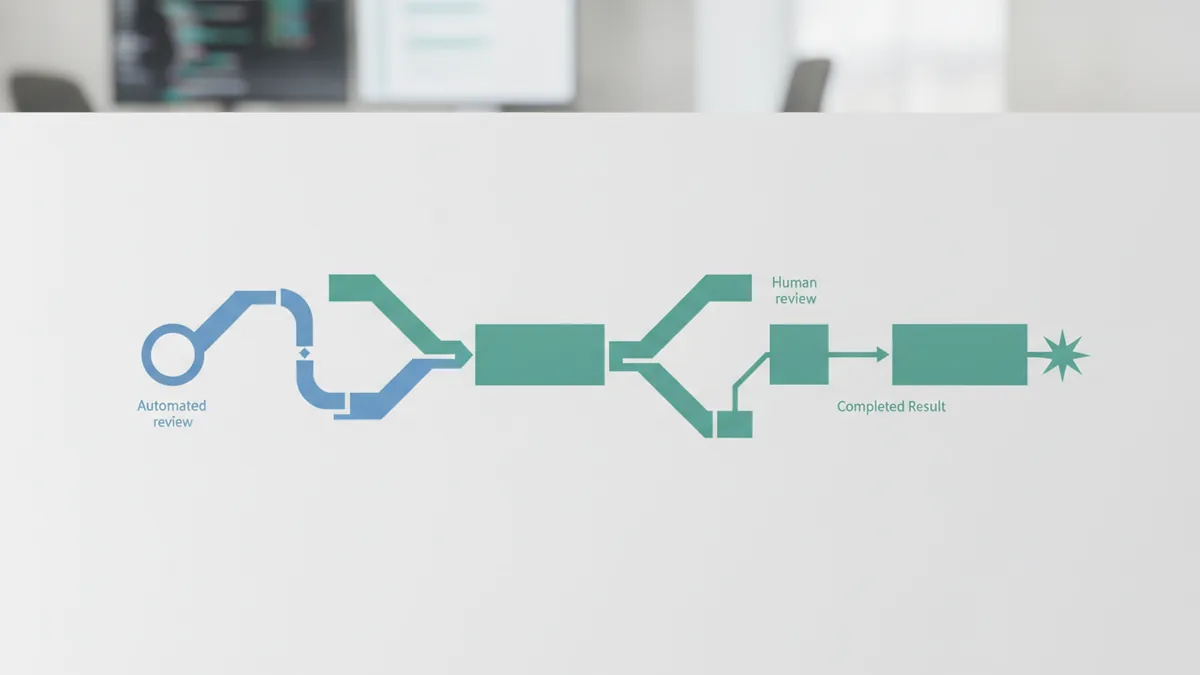
Consider this small support case:
- A customer sends a billing question.
- The agent checks the account and known help pages.
- It drafts an answer with the source links.
- A support worker approves high-risk replies.
- The agent records the outcome in the help desk.
This flow saves time without giving the agent full control. It also creates a clear audit trail. Start with read access, then add write access after testing.
For enterprise work, scale brings new needs. Set rate limits, queue rules, and fail-safe paths. Separate test data from live data. Use role-based access so each agent sees only what it needs.
Security also covers the model and its tools. Block secret data from prompts when it is not needed. Scan tool inputs and outputs. Keep logs, but set a clear data retention period.

Pricing Models and Buying Questions
AI agent builders often use several pricing models. Some charge for model use. Others charge per user, task, run, connector, or month. A platform may combine two or more of these fees.
Estimate cost with a simple test. Run 100 sample tasks. Record model use, tool calls, review time, and failed runs. Then project the cost for your expected monthly volume.
| Cost area | Question to ask |
|---|---|
| Model use | Do fees rise with input and output size? |
| Users | Do builders and viewers need paid seats? |
| Runs | What counts as one task or run? |
| Connectors | Do key systems need paid add-ons? |
| Support | Are help, uptime, and response times included? |
Do not judge price by the monthly bill alone. Include build time, review work, cloud fees, and training. A cheaper tool can cost more if each change needs custom code.
Ask for a small trial with real but safe data. Set a success goal, such as 85 successful tasks out of 100. Track errors and human review time. Keep the trial short and measure the same tasks across vendors.
How to Choose the Right AI Agent Builder
First, write the task in one sentence. Name the input, the result, and the systems involved. This step helps you reject tools that solve a different problem.
Next, rank your needs. Ease of use may lead for a small team. Model choice, security, and scale may lead for an enterprise team. Integration depth often matters more than a polished demo.
Build a small pilot before a broad rollout. Use 50 to 100 real examples with private data removed. Set clear pass rules for quality, speed, cost, and safe behavior.
The answer to “what is the best AI agent builder?” is the platform that passes those tests. It should help your team ship useful work without hiding key limits. Start small, keep a human in the loop, and expand only after the logs show steady results.
Frequently asked questions
- What is an AI agent builder?
- An AI agent builder is a platform for creating agents that plan steps and use tools. It can connect models, data, and business apps in one workflow.
- What is the best AI agent builder in 2026?
- OpenAI, Anthropic, Microsoft, Google Cloud, and Salesforce all offer strong options. The best choice depends on your models, integrations, team skills, and budget.
- What is the difference between no-code and code-first agent builders?
- No-code tools suit simple workflows and fast pilots. Code-first frameworks suit custom products, strict rules, and complex tool use.
- What features should an AI agent builder have?
- Check model choice, integrations, logs, access controls, pricing, speed, and task success. Test each tool with the same sample tasks before you choose.
- Are AI agent builders secure for enterprise use?
- Yes, if it offers role-based access, audit logs, data controls, rate limits, and safe handoffs. Enterprise teams should also review hosting and data retention.
- How do I choose an AI agent builder for my business?
- Start with a narrow task, then run a pilot with 50 to 100 safe examples. Measure quality, cost, speed, errors, and human review time.
Related reading

What Company Owns OpenAI? Ownership Explained
Learn who owns OpenAI, how Microsoft and the OpenAI Foundation fit in, and why share ownership differs from control of the company.

How AI Learns: Data, Training, and Feedback
Learn how AI trains on data, finds patterns, and improves through feedback. Explore supervised, unsupervised, and reinforcement learning with examples.

How Generative AI Has Affected Security
See how generative AI has affected security, from prompt injection and data leaks to deepfake fraud, and learn ways to reduce risk.