What Is AI RAG? How It Works and Benefits
Learn what AI RAG is, how retrieval-augmented generation works, its key benefits, real-world uses, and limits for modern AI systems.

Introduction to AI RAG
What is AI RAG? AI RAG means retrieval-augmented generation. It joins information retrieval with a generative AI model. The system finds useful data first. Then it gives that data to a language model before it writes an answer.
This design helps large language models, or LLMs, use facts beyond their training set. Those facts may come from company files, product records, or live databases. The model can then give fresher and more useful replies. It does not need full retraining for every new data source.
So, what does AI RAG stand for? It stands for retrieval-augmented generation. The term describes a two-part process. One part looks up facts. The other part uses those facts to create a response.
- Retrieval: Find facts that match the user’s question.
- Augmentation: Add those facts to the model’s input.
- Generation: Write a clear answer from the question and facts.
How an AI RAG System Works
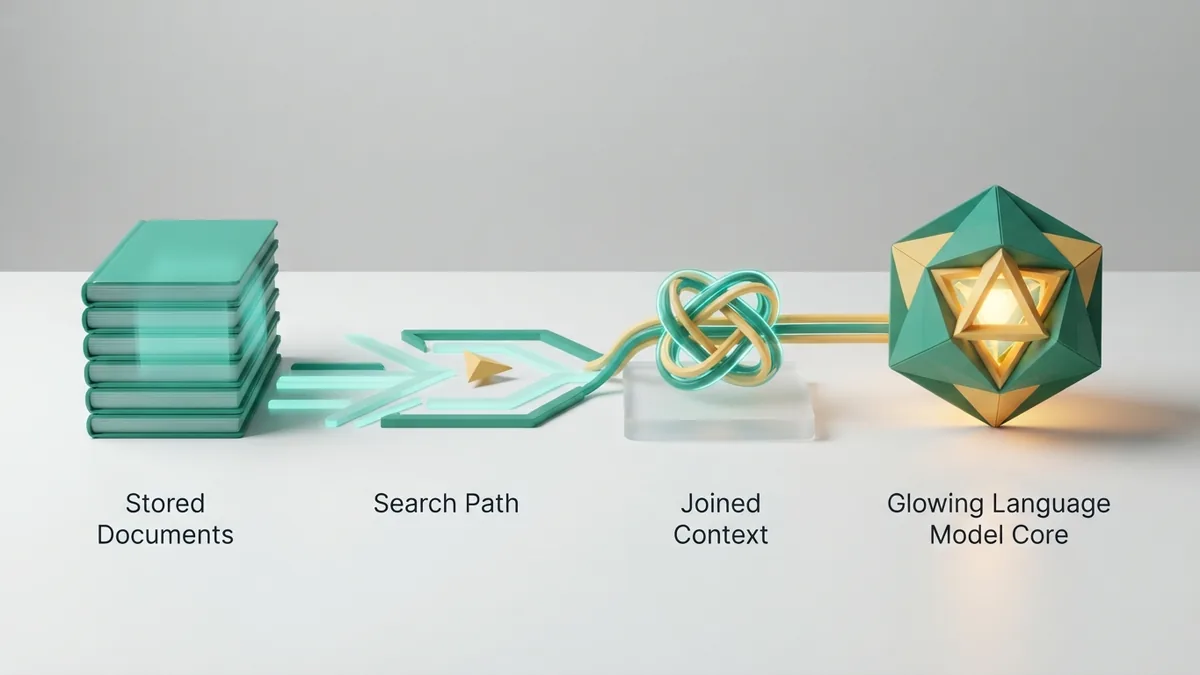
An AI RAG system has four main parts. Each part handles a clear task. Together, they turn a question into a grounded answer.
- Knowledge base: This holds source data, such as files, web pages, or records.
- Retriever: This finds data that best matches the user’s question.
- Integration layer: This joins the question and search results into one prompt.
- Generator: This is the language model that writes the final reply.
Many systems split source files into small chunks. They then turn each chunk into a vector. A vector is a list of numbers that shows the chunk’s meaning. A vector database stores those lists for fast search.
When a user asks a question, the system turns the question into a vector too. It then finds nearby chunks through semantic search. This search looks for meaning, not just shared words. The model receives the best matches as context.
The generator still needs good rules. It should use the supplied sources first. It should say when the sources do not answer the question. This step helps limit made-up claims.
Key Benefits of AI RAG

The main benefit of an AI RAG model is better access to useful facts. The model can use data that changed after its training. This feature matters for prices, stock levels, policies, and support content.
RAG can also lower the risk of hallucinations. A hallucination is a false answer that sounds sure. Retrieved sources give the model a firmer base. They do not make errors impossible, but they can reduce unsupported claims.
RAG also costs less than full model retraining in many cases. A team can update its knowledge base instead. It can add new files without changing the model’s weights. This approach can save time and compute costs for narrow domains.
- Fresh data: Connect the model to sources that change often.
- Better fit: Use private or specialist data for focused answers.
- Lower upkeep: Update documents instead of retraining the whole model.
- More trust: Show source notes or links beside key answers.
- Clear control: Remove old files when facts change.
RAG can also support data privacy. A business may keep its records in a controlled store. The model then sees only the records needed for each request. Strong access rules remain vital, though.
Common Applications of AI RAG

AI RAG works well when answers depend on a known set of sources. It can support staff, customers, and analysts. The best use cases have clear data and clear review rules.
- Customer support: Answer questions from help files and product guides.
- Internal search: Find details across company files and team notes.
- Legal work: Find clauses and rules in approved documents.
- Health research: Search trusted studies and care guidance.
- Sales help: Match buyer questions with current product details.
- IT support: Guide staff through setup and fault checks.
A chatbot can use RAG to answer questions about a live service. For example, a shop bot can check return rules before replying. It can also search the latest stock data. This gives the user a more useful answer than a fixed script.
RAG also helps teams explore large file sets. A worker can ask for a short summary of a report. The system can pull related sections first. The model then writes a summary tied to those sections.
Good design still matters. Source files should have owners and review dates. Teams should test answers with real user questions. They should also track wrong answers and missing sources.
AI RAG Compared With Traditional Models
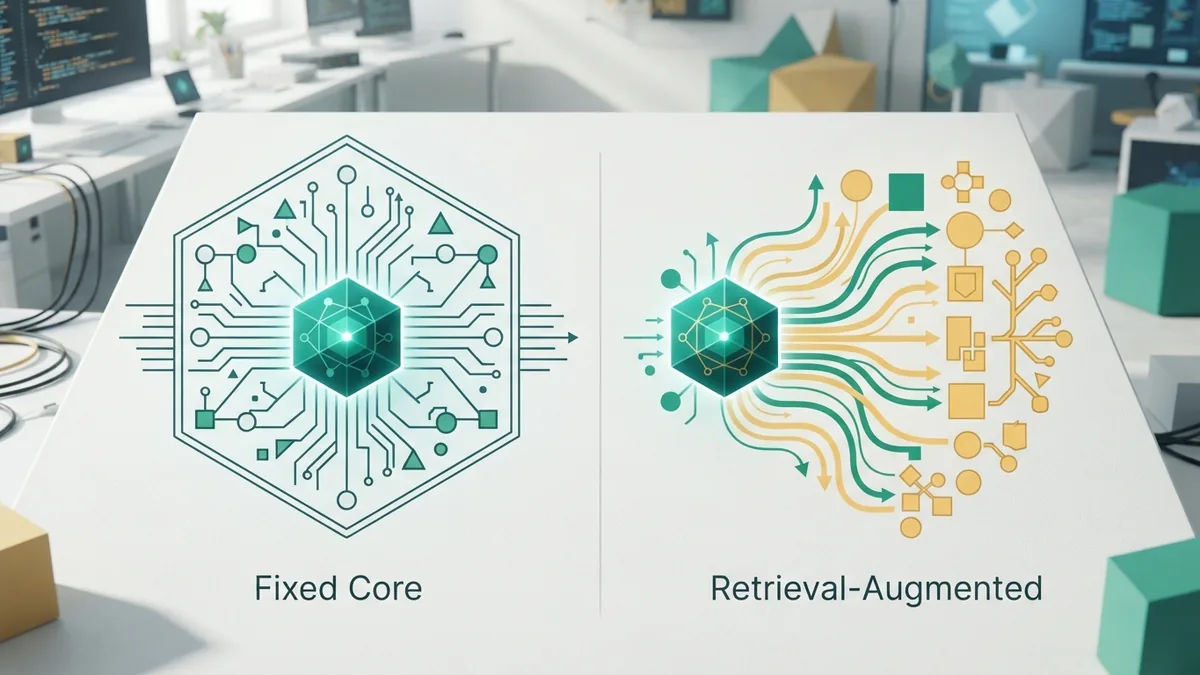
A traditional language model answers from patterns learned during training. Its built-in knowledge can be broad. Yet that knowledge may be old, incomplete, or too general for one business.
An AI RAG model adds a search step before the answer. This lets it use current and private data. It can also point to the source used for a claim. That link can help users check the reply.
| Feature | Traditional model | AI RAG model |
|---|---|---|
| Source of facts | Training data | Training data plus retrieved sources |
| Freshness | Limited by training updates | Can use current data |
| Private data | Not known by default | Can use approved private sources |
| Update method | Model tuning or retraining | Update the knowledge base |
| Source checks | Often hard to trace | Can show matched sources |
RAG is not the same as fine-tuning. Fine-tuning changes how a model behaves. RAG changes the facts it can see during a request. Many teams use both methods for different needs.
Use fine-tuning for tone, format, or task habits. Use RAG for changing facts and private records. A support bot may need both. It can learn a brand voice through tuning and search current help files through RAG.
Challenges and Limits of AI RAG
RAG does not fix poor source data. If the knowledge base holds wrong facts, the model may repeat them. Old files can cause old answers. Duplicate files can also confuse the search step.
Retrieval can fail in several ways. The system may miss the best passage. It may find a related passage that lacks the answer. It may also return too many chunks for the model to use well.
- Clean and label source files before adding them.
- Set file owners and review dates.
- Test searches with real questions and misspellings.
- Limit access by user role and data need.
- Ask the model to mark gaps instead of guessing.
- Review answers for high-risk work.
Cost can rise when the system searches too many records. Response times can also grow with large prompts. Teams should track search speed, answer quality, and source use.
Privacy brings another risk. A search result may expose data to the wrong user. Access checks must happen before the model sees any source. Logs should also avoid storing sensitive details without a clear need.
RAG works best as a checked system, not a magic fix. Its quality depends on source health, search skill, and model rules. With those parts in place, it gives AI a useful link to current knowledge.
How to Build a Useful AI RAG System
Start with one narrow task. A small support set is easier to test than an entire company archive. Pick sources with clear owners and stable formats. Define what a good answer must include.
Next, test the search step on its own. Give it questions from real users. Check whether the right passage appears in the top results. Fix chunk size, labels, and search settings before tuning the generator.
Then set firm answer rules. Tell the model to use retrieved facts first. Ask it to state when evidence is missing. Add source links when users need to verify claims.
Measure results with a small scorecard. Track answer accuracy, source match, response time, and refusal quality. Review these scores after each data update. That routine keeps the AI RAG system useful as the source set grows.
The original RAG research paper describes this blend of retrieval and generation in detail. See the original RAG research paper for the core model design.
Frequently asked questions
- What is AI RAG?
- AI RAG means retrieval-augmented generation. It finds useful external data, then gives that data to a generative AI model for its answer.
- What does AI RAG stand for?
- AI RAG stands for retrieval-augmented generation. Retrieval finds facts, while generation turns those facts into a reply.
- How does an AI RAG system work?
- It searches a knowledge base for matching information. An integration layer adds the results to the prompt, and a language model writes the response.
- Does RAG reduce AI hallucinations?
- RAG can reduce unsupported claims by grounding answers in retrieved sources. It cannot remove errors when the sources or search results are poor.
- Is RAG cheaper than retraining an AI model?
- RAG is often cheaper for changing facts or private data. Teams can update the source store instead of retraining the whole model.
- What are common AI RAG applications?
- Common uses include customer support, internal search, research, sales help, legal document search, and IT support.
Related reading

How to Fine Tune an LLM for Better Task Results
Learn how to fine tune an LLM with clean examples, choose a training method, set success metrics, and test cost, speed, and quality.

Best AI Investment Tools: Features and Platform Picks
Compare AI investment tools by portfolio fit, fees, tax features, risk checks, and human support before choosing a platform for your goals.

How to Use the OpenAI API: Setup, Keys and Apps
Learn how to get an OpenAI API key, make your first API call, build apps and agents, and handle errors, costs, and rate limits safely.